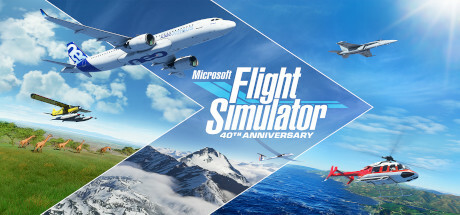
Microsoft Flight Simulator sells people on one feeling: watching real terrain unfold beneath the wings while you nurse an aircraft through the air by hand. Getting there means a hefty download, a capable PC, and often a peripheral or two. We wanted that feeling available the moment someone lands on this page, so we built Cloudreach, a small original flight game that runs in the browser tab you have open right now. Free, no install, no account.
Play Cloudreach now
Tap to steer, hold the throttle, and try to bring it home in one piece. Best played with sound on for the engine drone.
How to play
Take off from the runway, then fly through a sequence of gates scattered across a procedurally generated coastline before the clock runs out. Bank toward each gate, hold your altitude through it, then turn back and set down gently on the runway for a landing bonus. On desktop, use the arrow keys or WASD to pitch and roll, and Q/E (or the on-screen throttle buttons) to manage power. On a phone or tablet, drag anywhere on the sky to steer and hold the throttle buttons in the corner. Both schemes work at once, so you can throttle with one thumb and steer with the other.
Every gate cleared is worth points, and time left over when you land adds a bonus on top of a smoothness bonus for a gentle touchdown. The course, wind, and gate spacing are seeded from today’s date, so everyone flying today gets the same layout, and it changes tomorrow. Your best score for the day, plus your all-time best, are saved on this device only. Nothing you do in the game leaves your browser.
How it compares to Microsoft Flight Simulator
Cloudreach borrows the core loop that makes the real thing addictive: a hand-flown aircraft, a real sense of banking and altitude, and open terrain sliding by underneath. That’s where the resemblance ends on purpose. There’s one simplified aircraft here, not a hangar’s worth of licensed planes. The flight model gives you weight, stall behavior at low speed, and wind drift, but it skips the switches, checklists, and systems failures that the real sim models in depth. There’s no live weather feed, no worldwide satellite scenery, and no add-on marketplace. What you get is a two-minute arcade round: take off, chase some gates, land, try again.
Think of Cloudreach as a taste, not a substitute. If ten minutes with it leaves you wanting real cockpits, real airports, and a genuine training-grade flight model, that’s exactly when it’s time to install the real thing.
Get the full simulator
Microsoft Flight Simulator is a Windows title available on Steam, with a full aircraft roster, worldwide scenery built from real map data, live weather, and ongoing expansions.
Download: Steam
If you’re comparing options on Android instead, we tested seven mobile flight sims in Best Flight Simulator Airplane Game alternatives, covering everything from arcade mission runners to a genuine blade-element physics model.
FAQ
Can I play Microsoft Flight Simulator in a browser? Not the real thing. It’s a full Windows install with no official browser or web version. Cloudreach is our own small flight game, inspired by the feeling of hand-flying open terrain, that runs entirely in your browser tab.
Is this the real Microsoft Flight Simulator? No. Cloudreach is an original game built by our team, not affiliated with or endorsed by Microsoft. We built it because we wanted a version of that flying feeling you could try instantly, without a download.
Does it work offline? Once the page has loaded, yes. The game is a single self-contained file with no external assets, so it keeps running even if your connection drops mid-flight.
Is it free? Completely. No signup, no ads, no in-game purchases. Your best scores live in your browser’s local storage, not on a server.
Does the score reset every day? The course itself changes daily, and the best score for that day’s course resets with it. An all-time best score persists across days, saved locally on the device.