
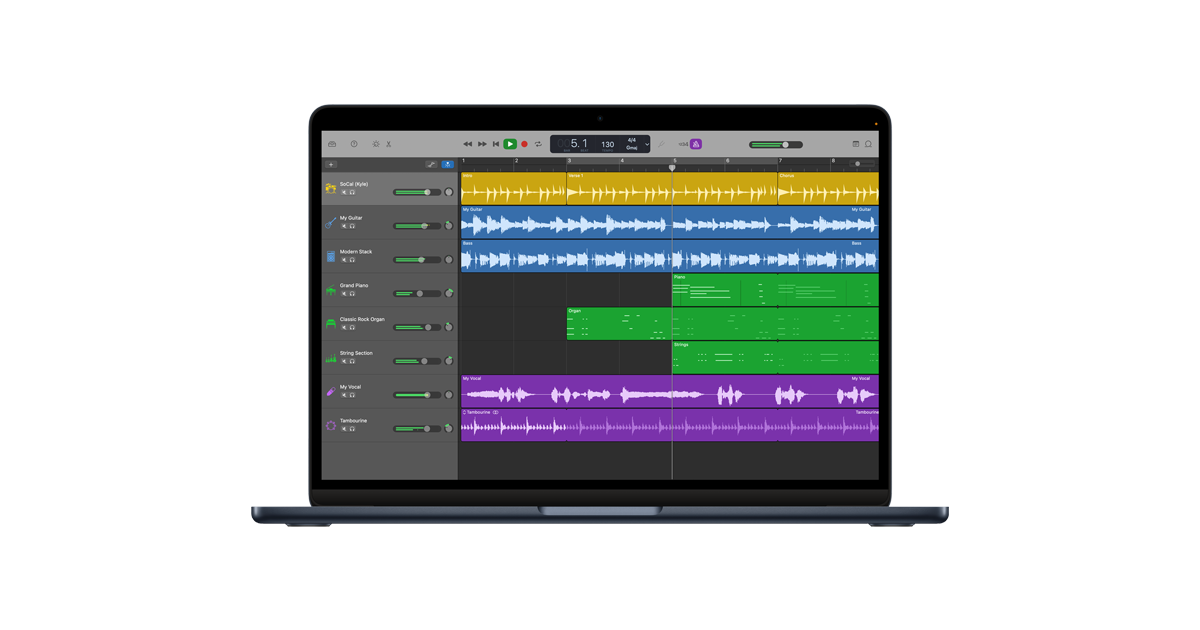
GarageBand is how a lot of people make their first song. It is free, it is friendly, and it is hard to play a wrong note in it. It also only exists on iPhone, iPad and Mac. There is no Android app, no Windows version and nothing for a Chromebook, and the iPhone download is about 1.9 GB.
So we built Loopwell, our own pocket studio around the same idea. It runs right here on this page, it is free, and there is no download and no account. A demo song is already loaded.
Make a beat in Loopwell now
Tap Play, or tap any loop in the grid. Sound starts with your first tap.
How to use Loopwell on a phone, Chromebook or laptop
Rows are instruments: drums, bass, chords, lead, pad and one extra track. Columns are scenes such as a verse or a chorus. Tap a loop and it starts on the next bar, in time with everything else. Tap a scene letter to launch the whole column.
- Tap an empty cell to make a new loop. Press and hold a loop, or tap Edit, to change it.
- Drums get a step grid and a groove pad. Drag the pad between simple and busy, soft and hard, in seven styles from boom bap to house, and it writes the whole pattern.
- Other tracks get a piano roll that only shows the notes of the song’s key, so everything you draw fits. A chord strip, a bass helper that follows your chords and a melody idea button do the first draft for you.
- The Keys tab turns the screen into pads, and Record captures what you play into a loop after a one-bar count-in. On a computer the letter keys play notes, Space starts and stops, and the number keys launch scenes.
- Arrange puts scenes in order to make a full song. Export renders it to a WAV file.
Songs save in your browser after every change. Nothing leaves your browser: once the page has loaded, the studio makes no network requests at all. A new starter sketch, the daily spark, appears every day at 00:00 UTC.
How Loopwell compares to GarageBand
Loopwell keeps the parts of GarageBand that get beginners to a finished idea. You launch loops from a grid, every note stays in key, and helpers write drums, chords and bass lines that you can then edit by hand. It also opens straight away on an Android phone, a Windows laptop or a school Chromebook, which GarageBand cannot do.
GarageBand is still the bigger studio, and we would rather say so. It records your voice and your guitar. Loopwell cannot record audio at all, because the embedded player has no microphone access, and it cannot import audio files either. GarageBand’s instruments are sampled from real ones and it comes with amps, a full timeline and projects that open in Logic Pro. Loopwell’s 4 drum kits and 37 instruments are synthesized live in your browser, and a song is limited to 6 tracks and 8 scenes.
Free browser studios such as BandLab add cloud projects and collaboration, but they ask you to sign up first. Loopwell has no account, no cloud sync and no way to work with someone else. If you want any of that, our guide to BandLab alternatives compares seven options.
Our view: use Loopwell to sketch a beat or a chord idea in minutes, wherever you are. If you own an Apple device and want to record a real song with vocals, get GarageBand.
Get the real GarageBand
GarageBand is free from Apple for iPhone, iPad and Mac. Apple’s GarageBand page covers the Mac version, and GarageBand for iOS covers iPhone and iPad.
If you only want one piece of a studio, we have smaller tools too: a free online drum machine and a free online piano.
Frequently asked questions
Is there a GarageBand for Android?
No. Apple makes GarageBand only for iPhone, iPad and Mac, and there is no official Android app. Loopwell, the studio on this page, runs in the browser on an Android phone, with the same idea of loops you launch and notes that always fit the key.
Can I use GarageBand on Windows or a Chromebook?
Not officially. GarageBand has no Windows, ChromeOS or web version. Loopwell opens in the browser on both with no install, and on a laptop the keyboard plays notes.
Is Loopwell the real GarageBand?
No. Loopwell is an original tool we built, inspired by how GarageBand makes music approachable. It is not made by, affiliated with or endorsed by Apple, and it uses none of Apple’s sounds, loops or artwork.
Can I download my song from Loopwell?
Yes. Export renders the whole song, or one scene, to a 16-bit stereo WAV file at 44.1 kHz on your own device and downloads it. You can also save a small project file and open it in Loopwell on another device.
Where are my songs saved, and can I record my voice?
Songs are stored in your browser on this device, so clearing your browser data removes them. Save a project file if a song matters to you. Recording a voice or an instrument is not possible in Loopwell, so for that you need GarageBand or another full studio.


