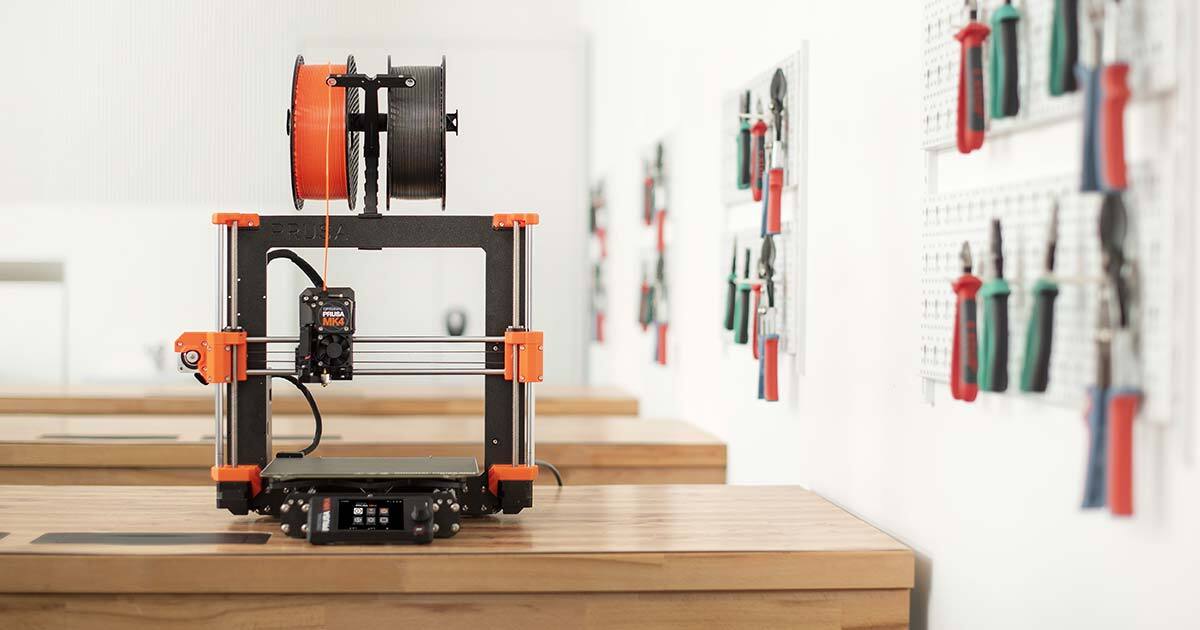
An XDA writer recently turned their D&D table into a working 3D printed setup, with modular dungeon tiles, printable creature stat trackers, and swap-in scatter terrain sized to actual figure bases. Getting there took three separate pieces of software: one to find the STL, one to clean or resize it, and one to slice it into layers a printer can run. We rounded up the best apps for finding and slicing 3D printed D&D terrain on Windows, macOS, and Linux, split across marketplaces, browser designers, and desktop slicers, so a Dungeon Master can build a full production chain without paying for tools they don’t need.
What to look for in a D&D terrain app
A single app rarely covers the whole workflow. Instead, we scored each tool on how well it does one job in the chain from STL discovery to sliced G-code or CTB file.
- Format support: STL is the baseline, but 3MF (with color and metadata) and OBJ show up too. Slicers should read all three; marketplaces should at least export STL.
- Miniatures vs. terrain scale: minis want fine detail and print at 28-32mm resin; terrain wants speed, big volumes, and modular tile layouts on FDM.
- Support generation: the single biggest quality lever for minis. Look for auto-supports, easy manual editing, and light-touch tips that snap off cleanly.
- Repair and cutting: printable D&D files often ship as one monolithic mesh. A tool that can split, hollow, and repair non-manifold geometry saves hours.
- License clarity: commissioned print services and Kickstarter reward packs enforce terms. A marketplace that surfaces personal-use vs. merchant licenses avoids surprises.
- Cost model: free tiers should be usable, not crippled. Subscriptions belong on premium content, not core slicing.
Quick comparison
| App | Best for | Platforms | Free plan | Starting price |
|---|---|---|---|---|
| OrcaSlicer | FDM slicing with built-in calibration | Windows, macOS, Linux | Free | Free (open source) |
| PrusaSlicer | Rock-solid FDM defaults and multi-material | Windows, macOS, Linux | Free | Free (open source) |
| Chitubox | Free resin slicing for miniatures | Windows, macOS, Linux | Free | Around $170/year for Pro |
| Lychee Slicer | AI resin supports and one-click prep | Windows, macOS, Linux | Free with ads | Around $60/year for Pro |
| MyMiniFactory | Curated tabletop marketplace with Tribes | Web (Windows, macOS, Linux browser) | Free downloads plus paid | Tribes from a few dollars/month |
| Thangs | Geometry-based search across STL sites | Web (Windows, macOS, Linux browser) | Free tier | Premium in the low double digits/month |
| Hero Forge | Browser-based custom character minis | Web (Windows, macOS, Linux browser) | Free design, paid STL | STL from around $8, Pro+ from $3.99/month |
| OpenSCAD | Parametric modular terrain in code | Windows, macOS, Linux | Free | Free (open source) |
1. OrcaSlicer - best for tuning FDM terrain and prop prints
OrcaSlicer is a fork of Bambu Studio that in turn forked from PrusaSlicer, and it has become the default recommendation for hobbyists running mixed-brand FDM setups. Its built-in calibration wizard handles pressure advance, flow rate, and max volumetric speed in a few guided prints, which matters when a terrain tile has to look consistent across a dozen copies. Klipper support is strong out of the box, and community printer profiles cover most Creality, Voron, Sovol, and Elegoo machines.
Where it falls short: the interface still leaks Bambu-specific menus in places, and multi-material on non-Bambu hardware needs manual profile tuning. New releases occasionally introduce regressions until a point release lands.
Pricing: free and open source under AGPLv3.
Platforms: Windows, macOS, Linux.
Download: Publisher site · GitHub Releases
Bottom line: the strongest overall FDM slicer for printing terrain, scatter, and props on any modern desk printer.
2. PrusaSlicer - best for conservative defaults and multi-material
PrusaSlicer is the codebase every popular slicer forked from, and Prusa Research maintains it on a steady quarterly release cadence. Default profiles are cautious and well documented, which is exactly what a first-time D&D terrain builder wants when a print run needs to succeed overnight. The MMU3 multi-material workflow remains the reference implementation for painting single-piece minis and terrain in more than one filament.
Where it falls short: feature adoption is slower than OrcaSlicer, and printer profiles outside the Prusa lineup rely on community contributions that lag behind current firmware.
Pricing: free and open source under AGPLv3.
Platforms: Windows, macOS, Linux.
Download: Publisher site · GitHub Releases
Bottom line: the safest FDM slicer for a mixed Prusa household or anyone who values documented, predictable behavior over cutting-edge features.
3. Chitubox - best free resin slicer for miniatures
Chitubox pairs with almost every MSLA printer on the market and has been the default resin slicer for years. The free version is genuinely complete, with hollowing, auto-supports, and drainage hole tools that cover the majority of miniature prints. Its Anti-Aliasing implementation is a big reason painted D&D minis coming off Elegoo Saturn, Anycubic Photon, and Phrozen machines look clean along diagonal edges.
Where it falls short: the free auto-support algorithm is conservative and adds more contact than needed, so hand-editing is common. Pro tier features like advanced hollowing modes sit behind an annual subscription.
Pricing: free forever; Chitubox Pro is priced around $170 per year.
Platforms: Windows, macOS, Linux.
Download: Publisher site · Chitubox downloads
Bottom line: the go-to resin slicer for anyone printing bust-scale characters or 28-32mm heroes on a budget.
4. Lychee Slicer - best AI-assisted resin support generator
Lychee Slicer, from Mango 3D, competes with Chitubox on the resin side and leans hard into automation. Its AI support system reads model geometry and places supports where the mesh actually needs them, not just wherever an overhang angle rule triggers. The Magic Menu handles orientation, supports, and rafts in one click, which turns a fiddly hero forge export into a printable file in under a minute.
Where it falls short: the free tier shows ads and adds a wait timer before slicing, and some staples like grid supports and full hollowing are Pro-only.
Pricing: free with ads; Lychee Pro sits around $60 per year and now covers both resin and FDM printers under one license.
Platforms: Windows, macOS, Linux.
Download: Publisher site · Lychee downloads
Bottom line: the fastest way to get a clean-supported miniature onto the build plate when hand-placing supports is a chore.
5. MyMiniFactory - best curated STL marketplace for tabletop
MyMiniFactory has quietly become the largest umbrella in 3D model sharing, especially after picking up Thingiverse and YouMagine. For D&D specifically, its Tribes subscription program is the reason to be here: creators like Artisan Guild, Loot Studios, Titan Forge, and Rescale Miniatures run monthly drops of dungeon-ready STLs, all with clear personal-use and merchant licenses.
Where it falls short: Tribes stack up quickly if a table wants coverage across factions and biomes, and the free catalog is smaller than aggregators. Search is category-first, which can bury niche terrain.
Pricing: free downloads for the open catalog; individual Tribes start in the low single digits per month and go up per creator.
Platforms: browser-based, so any modern desktop can use it (Windows, macOS, Linux).
Download: MyMiniFactory · Tribes overview
Bottom line: the best marketplace for hand-picked tabletop miniatures and terrain when license clarity and quality matter more than volume.
6. Thangs - best search engine across STL sites
Thangs indexes millions of models from Printables, Thingiverse, MakerWorld, Cults3D, and dozens of smaller repositories, then adds a geometry-based search layer on top. Uploading a reference model and asking for shapes that look similar is genuinely useful when a party needs a matching set of pillars or ruins across sources that don’t talk to each other.
Where it falls short: licensing surfaces the source site’s terms rather than harmonizing them, so file reuse still needs human review. Some geometry search results skew industrial rather than tabletop.
Pricing: free tier covers search, downloads, and community features; premium plans in the low double digits per month add AI tools and collaboration features.
Platforms: browser-based, works from any desktop OS.
Download: Thangs
Bottom line: the fastest way to find a specific terrain shape without opening five marketplace tabs in parallel.
7. Hero Forge - best for one-off custom character miniatures
Hero Forge is the browser character builder every D&D group has heard of, and its STL export is what makes it worth including in a printing workflow. The design tools cover species, gear, poses, and base scenery, then the file can be downloaded as a print-ready STL through a Pro+ Digital Download subscription or a one-off purchase.
Where it falls short: STLs are locked behind either per-file purchases or the Pro+ tier, and the mesh often needs a hollow pass and manual supports before it prints cleanly in resin. Highly detailed accessories don’t always survive at 32mm scale.
Pricing: free to design and pose; individual STL downloads sit around $8 to $10; Pro+ Digital Download starts at around $3.99 per month with digital credits included.
Platforms: browser-based (Windows, macOS, Linux).
Download: Hero Forge · Subscriptions
Bottom line: the shortest path from a character concept to a printable mini, especially for one-off party members and NPCs.
8. OpenSCAD - best for parametric modular terrain
OpenSCAD treats a 3D model as code. That sounds academic until a Dungeon Master needs 40 wall tiles with slightly different lengths that still snap together, at which point tweaking three variables in a script beats redoing the model in a mesh editor. OpenForge, the long-running community terrain project built on top of OpenSCAD, is a good starting point for anyone who wants Dwarven Forge-compatible modular tiles without paying per set.
Where it falls short: the learning curve is real, previewing large models is slow, and organic shapes like statues or foliage are the wrong job for it entirely.
Pricing: free and open source under GPLv2.
Platforms: Windows, macOS, Linux.
Download: Publisher site · OpenSCAD downloads
Bottom line: the right tool for anyone building a large, consistent terrain set who is comfortable in code and wants full control over dimensions.
How to pick the right one
Most tables need three apps, not eight: one marketplace, one editor or generator, and one slicer sized to the printer.
- Running FDM only, printing tiles and props: OrcaSlicer plus MyMiniFactory covers most needs. Add Thangs when a specific piece isn’t turning up.
- Running resin only, printing miniatures: Chitubox for free, Lychee Slicer if the AI supports are worth the annual fee. Pair either with Hero Forge for characters and MyMiniFactory Tribes for monsters and NPCs.
- Running both: OrcaSlicer on the FDM side, Chitubox on the resin side. Slicers do not overlap enough to consolidate into one.
- Building a custom modular set: OpenSCAD plus PrusaSlicer, because both reward the same disciplined, defaults-first mindset. OpenForge tiles are the fastest way in.
- On a strict budget: stay entirely on the free tiers of OrcaSlicer, Chitubox, and Thangs. Add a single Tribes subscription to whatever creator matches the campaign setting.
The one combination we would not recommend is running a slicer’s default profile against a mini downloaded straight from a marketplace without checking the STL first. A quick trip through Blender or Meshmixer to hollow, orient, and repair a mesh saves more filament and resin than any slicer setting.
FAQ
Is Meshmixer still usable for D&D minis in 2026?
Yes, the last version (3.5) still runs on Windows and macOS and remains a common recommendation for splitting monolithic terrain STLs and doing quick mesh repair. Autodesk stopped active development years ago and removed it from their download page, but the installer is preserved on community mirrors. New users are better served learning Blender with the SineWave Mesh Repair Tools plugin, which covers the same workflow with active maintenance.
Can OrcaSlicer or PrusaSlicer handle resin printers?
Not directly. Both are FDM-focused. Resin prints on MSLA and DLP printers need a resin slicer, so plan on running Chitubox or Lychee Slicer alongside whichever FDM slicer manages the plastic side.
Are the STL files from Hero Forge printable at 28mm scale?
Yes, and they are exported in a size intended for that scale. Fine accessories (feathers, thin blades, spell effects) sometimes need thickening or manual supports because they sit near the resolution limits of a hobby MSLA printer. A quick pass in a slicer’s hollowing tool and manual support editor solves most first-print failures.
What is the difference between a marketplace and an aggregator like Thangs?
A marketplace hosts files directly (MyMiniFactory, Cults3D, Printables), typically with license terms attached to each file. An aggregator like Thangs indexes files from many sources without hosting most of them, then hands the user off to the origin site to download. Aggregators are best for search; marketplaces are best for curated, license-clear content.
Do these apps work fully offline?
Slicers do. OrcaSlicer, PrusaSlicer, Chitubox, and Lychee Slicer all slice and prepare G-code or CTB files without an internet connection once installed. Marketplaces and browser tools (MyMiniFactory, Thangs, Hero Forge) need a connection to search, download, or design. OpenSCAD is fully offline aside from library updates.
Which app is best for printing terrain that snaps to Dwarven Forge tiles?
OpenSCAD with the OpenForge community library is the closest match, because the project was designed from the start for Dwarven Forge compatibility. MyMiniFactory and Thangs both have hand-modeled sets that follow the same footprint conventions if writing code is a step too far.